> ## Documentation Index
> Fetch the complete documentation index at: https://v0.x-docs.novu.co/llms.txt
> Use this file to discover all available pages before exploring further.
# Infobip - SMS
> Learn how to use the Infobip provider to send sms notifications using Novu
You can use the [Infobip](https://www.infobip.com/developers/) provider to send SMS messages to your customers using the Novu Platform with a single API to create multi-channel experiences.
## Getting Started
To use the Infobip provider in the SMS channel, you will need to create an Infobip account and add your API key and Base URL to the Infobip integration on the Novu platform.
## Retrieving your API Key
To Find a new API key in Infobip, you can follow these steps:
* [Sign up](https://www.infobip.com/signup) or [Log in](https://portal.infobip.com/login/) to your Infobip account.
* On the [Homepage](https://portal.infobip.com/homepage/), you'll see your API key.
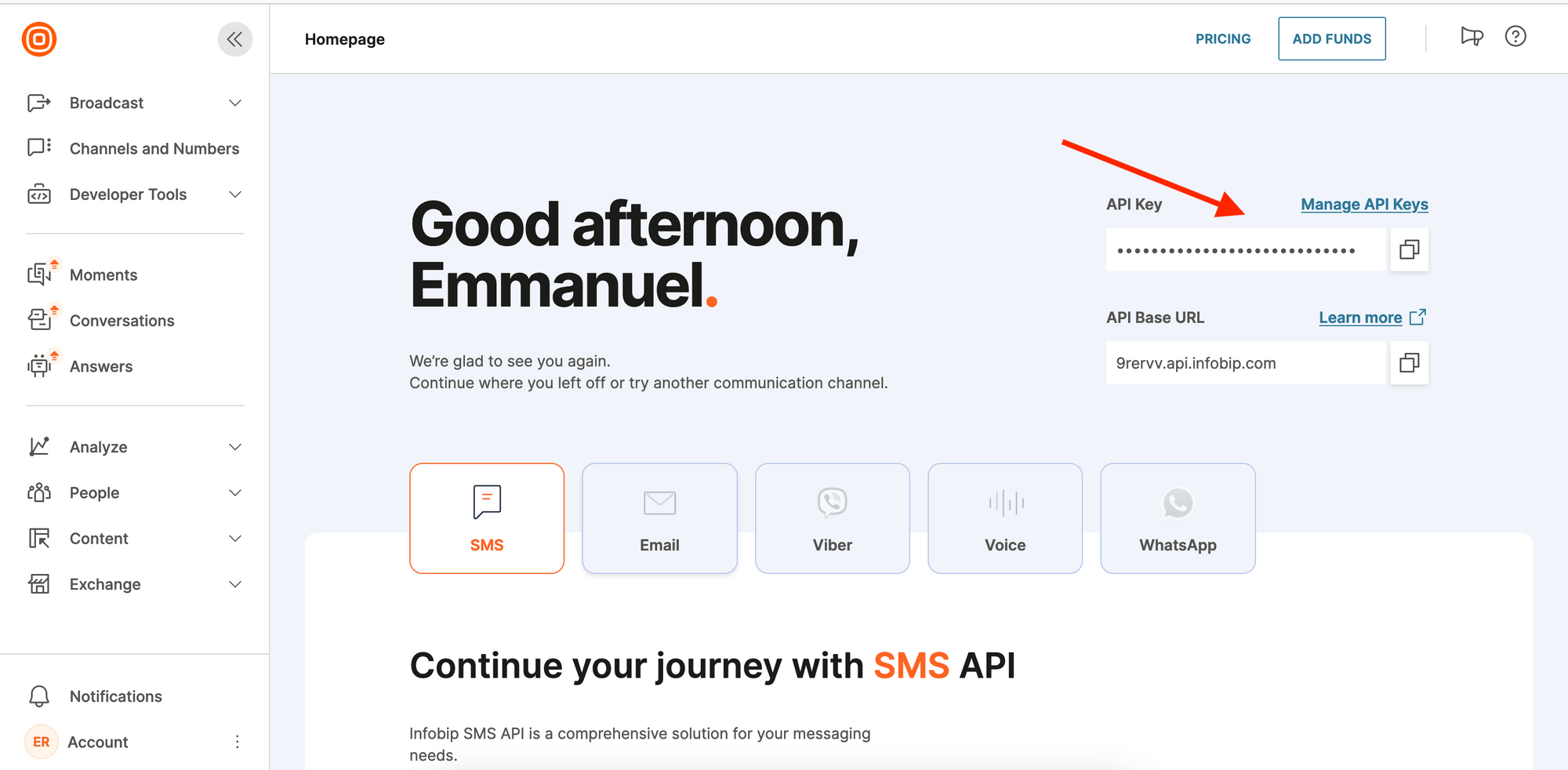 Alternatively, you can find the API key on the Developer Tools page.
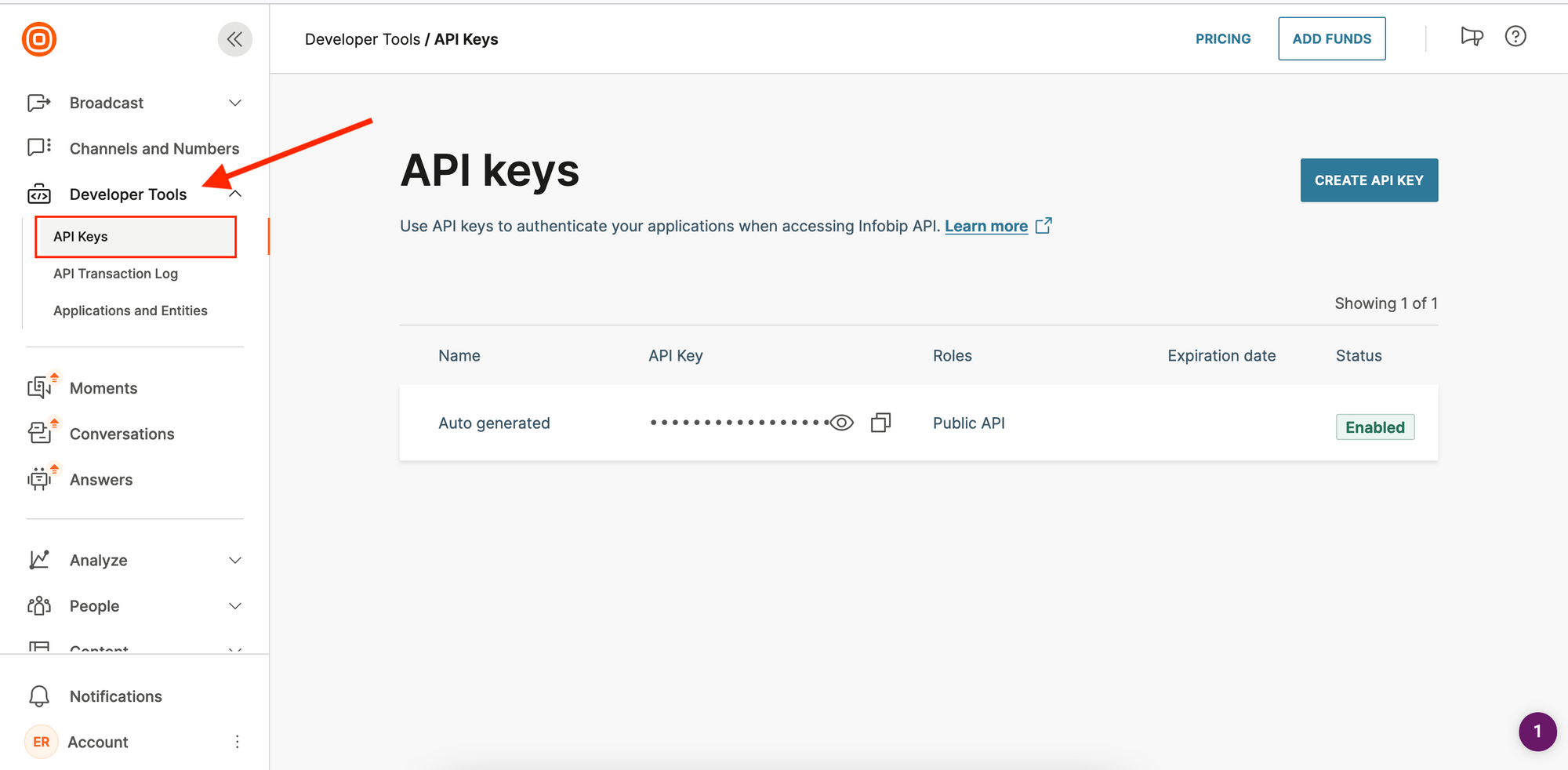
* On the sidebar (on the left), click on `Developer Tools`.
* This will display a dropdown from which you can then click on `API Ksys` to view your API key.
Alternatively, you can find the API key on the Developer Tools page.
* On the sidebar (on the left), click on `Developer Tools`.
* This will display a dropdown from which you can then click on `API Ksys` to view your API key.
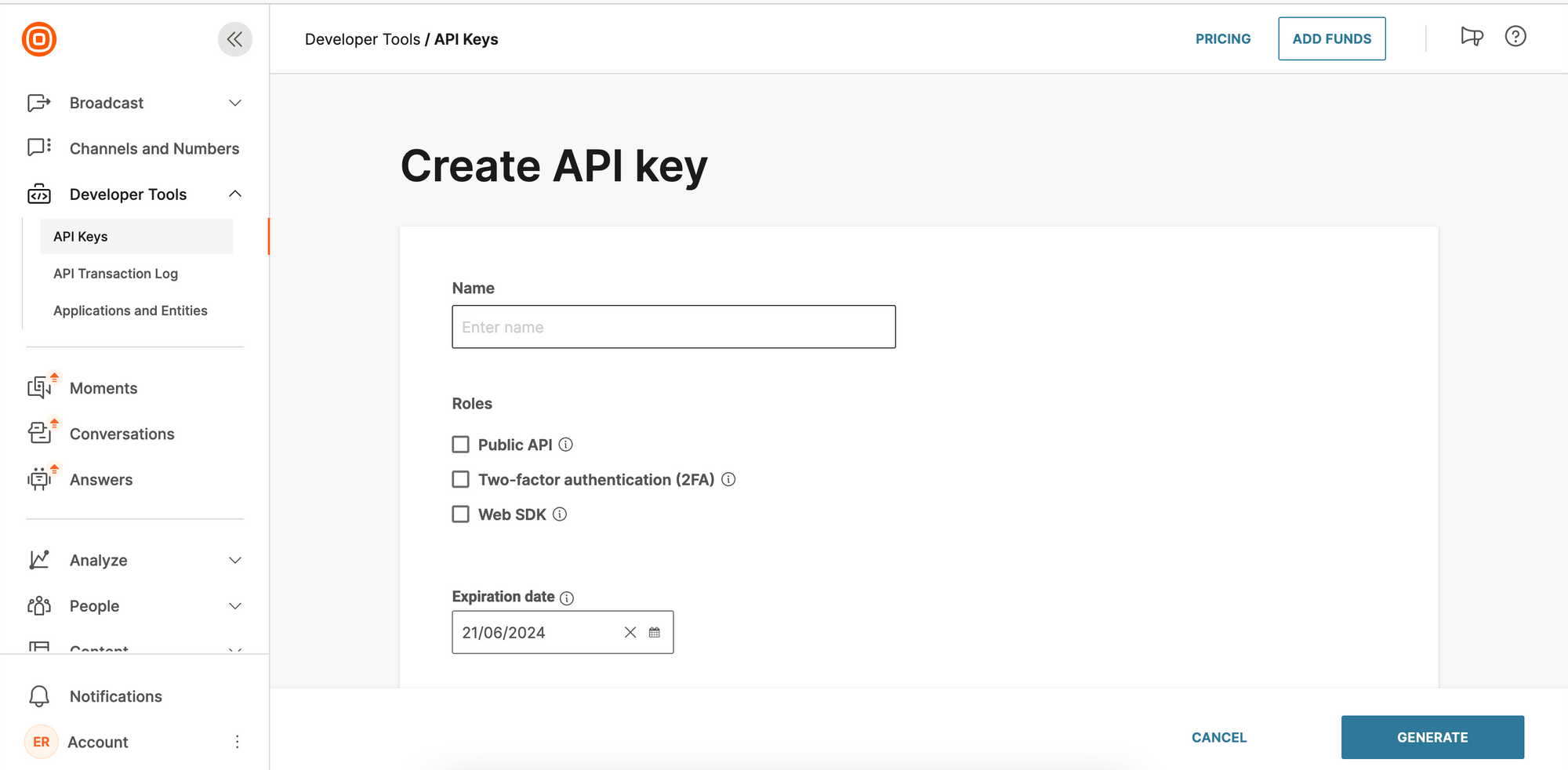
 If you want to create an API key:
* Click on the `CREATE API KEY` button
* Fill the form
* Click on `GENERATE`
If you want to create an API key:
* Click on the `CREATE API KEY` button
* Fill the form
* Click on `GENERATE`
 ## Finding the Base URL
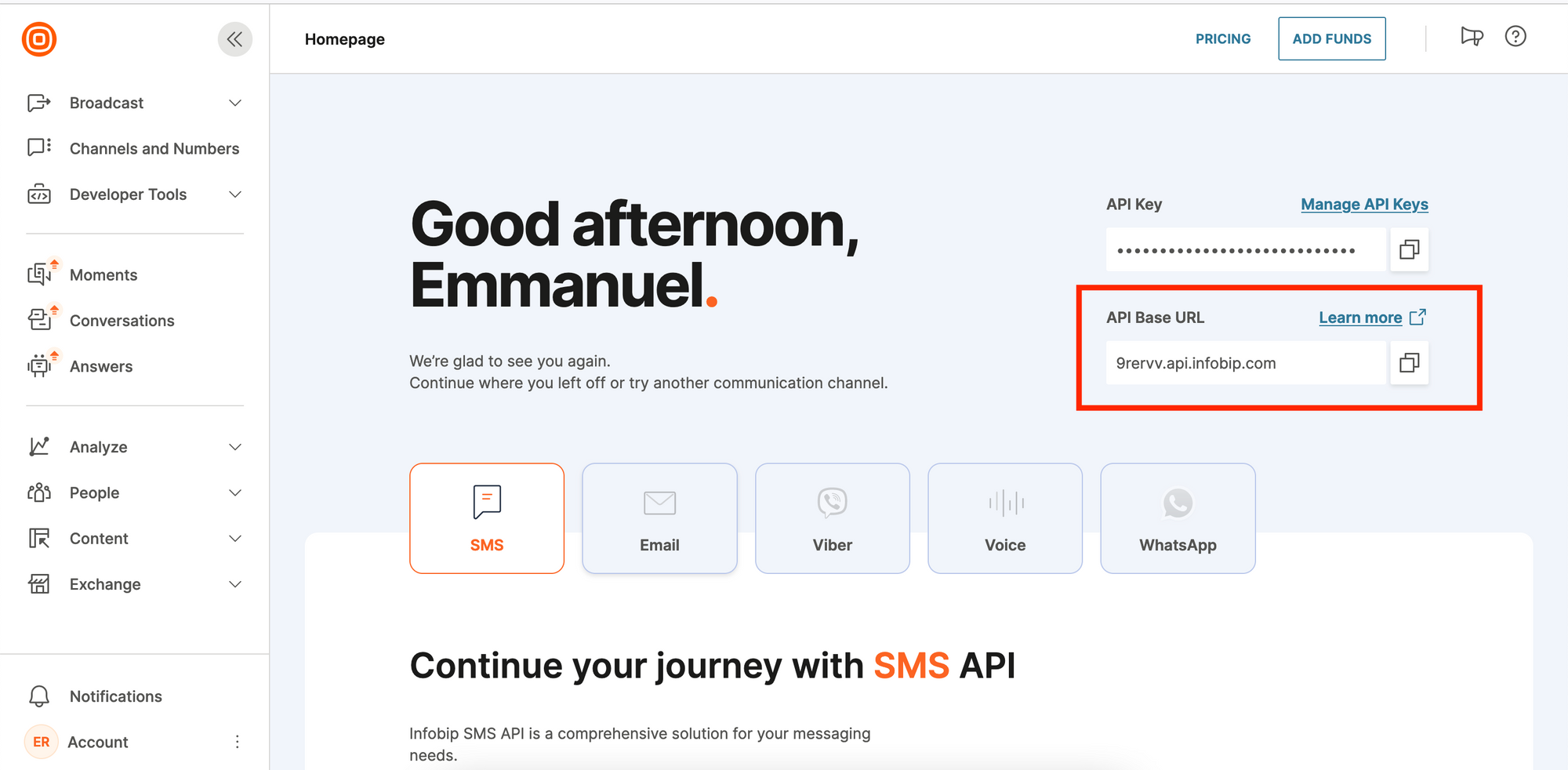
To see your base URL, log in to the account. Once logged in, on the Homepage, you should see your base URL in this format: `xxxxx.api.infobip.com`.
## Finding the Base URL
To see your base URL, log in to the account. Once logged in, on the Homepage, you should see your base URL in this format: `xxxxx.api.infobip.com`.
 ## Create an Infobip integration with Novu
* Visit the [Integrations](https://web.novu.co/integrations?utm_campaign=docs-sms-infobip) page on Novu.
* Click the "Add a provider" button.
* Locate **Infobip** under the SMS section and click on the **Connect** button.
* Enter your Infobip API Key.
* Enter your Base URL.
* Fill in the `From` field.
* Click on the `Disabled` button and mark it as `Active`.
* Click on the **Connect** button.
You should now be able to send SMS notifications using Infobip in Novu.
## Create an Infobip integration with Novu
* Visit the [Integrations](https://web.novu.co/integrations?utm_campaign=docs-sms-infobip) page on Novu.
* Click the "Add a provider" button.
* Locate **Infobip** under the SMS section and click on the **Connect** button.
* Enter your Infobip API Key.
* Enter your Base URL.
* Fill in the `From` field.
* Click on the `Disabled` button and mark it as `Active`.
* Click on the **Connect** button.
You should now be able to send SMS notifications using Infobip in Novu.