> ## Documentation Index
> Fetch the complete documentation index at: https://v0.x-docs.novu.co/llms.txt
> Use this file to discover all available pages before exploring further.
# Termii
> Learn how to use the Termii provider to send sms notifications using Novu
You can use the [Termii](https://termii.com/) provider to send SMS messages to your customers using the Novu Platform with a single API to create multi-channel experiences.
## Getting Started
To use the Termii provider in the SMS channel, the first step is to create a Termii account and add your API key and Sender ID to the Termii integration on the Novu platform.
## Retrieving your API Key
To find your Termii API key:
* [Sign up](https://accounts.termii.com/#/register) or [Login](https://accounts.termii.com/#/login) to your Termii account.
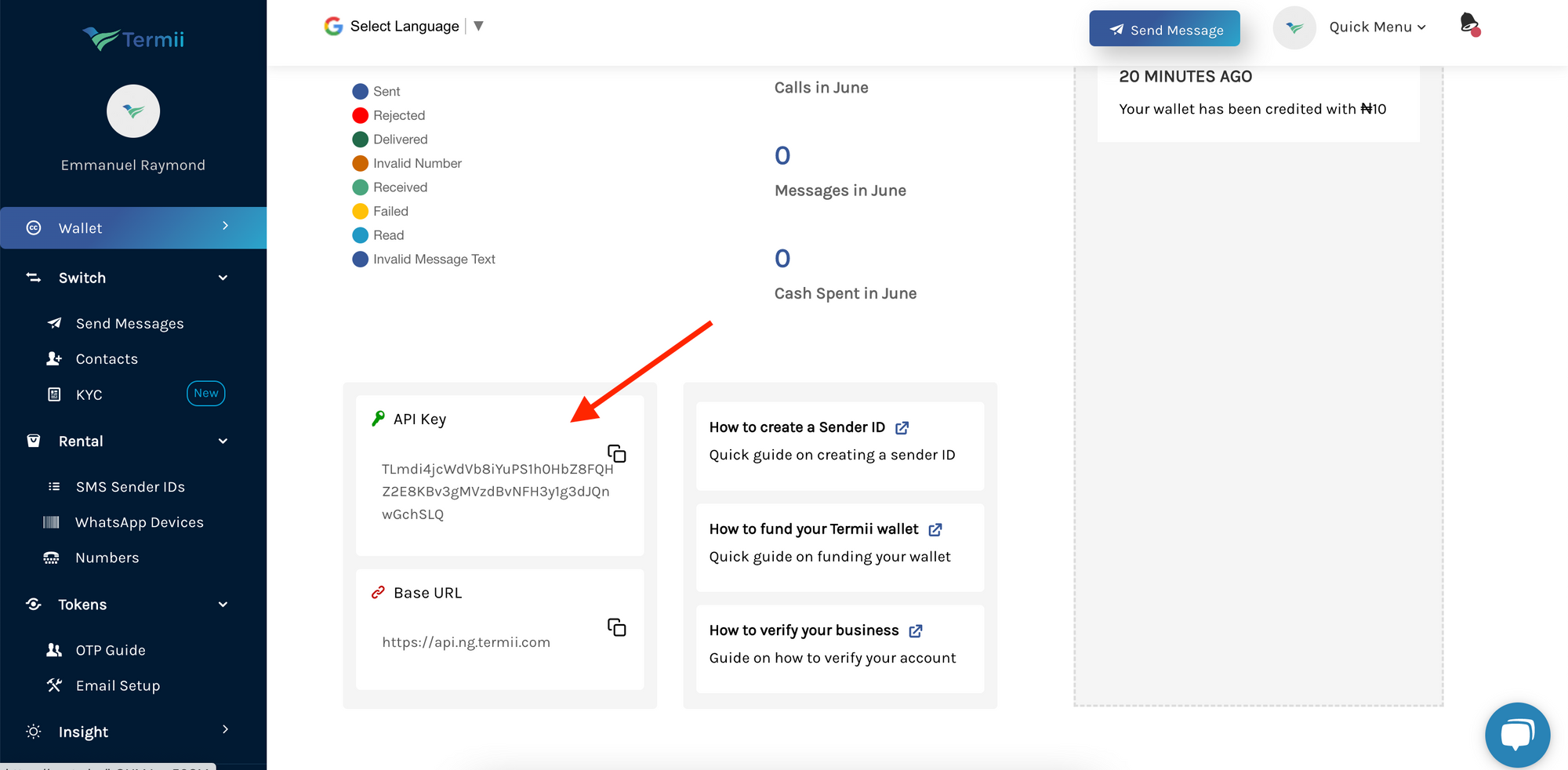
* Navigate to your [dashboard](https://accounts.termii.com/#/).
* Then scroll to the bottom of the page to find your API key.
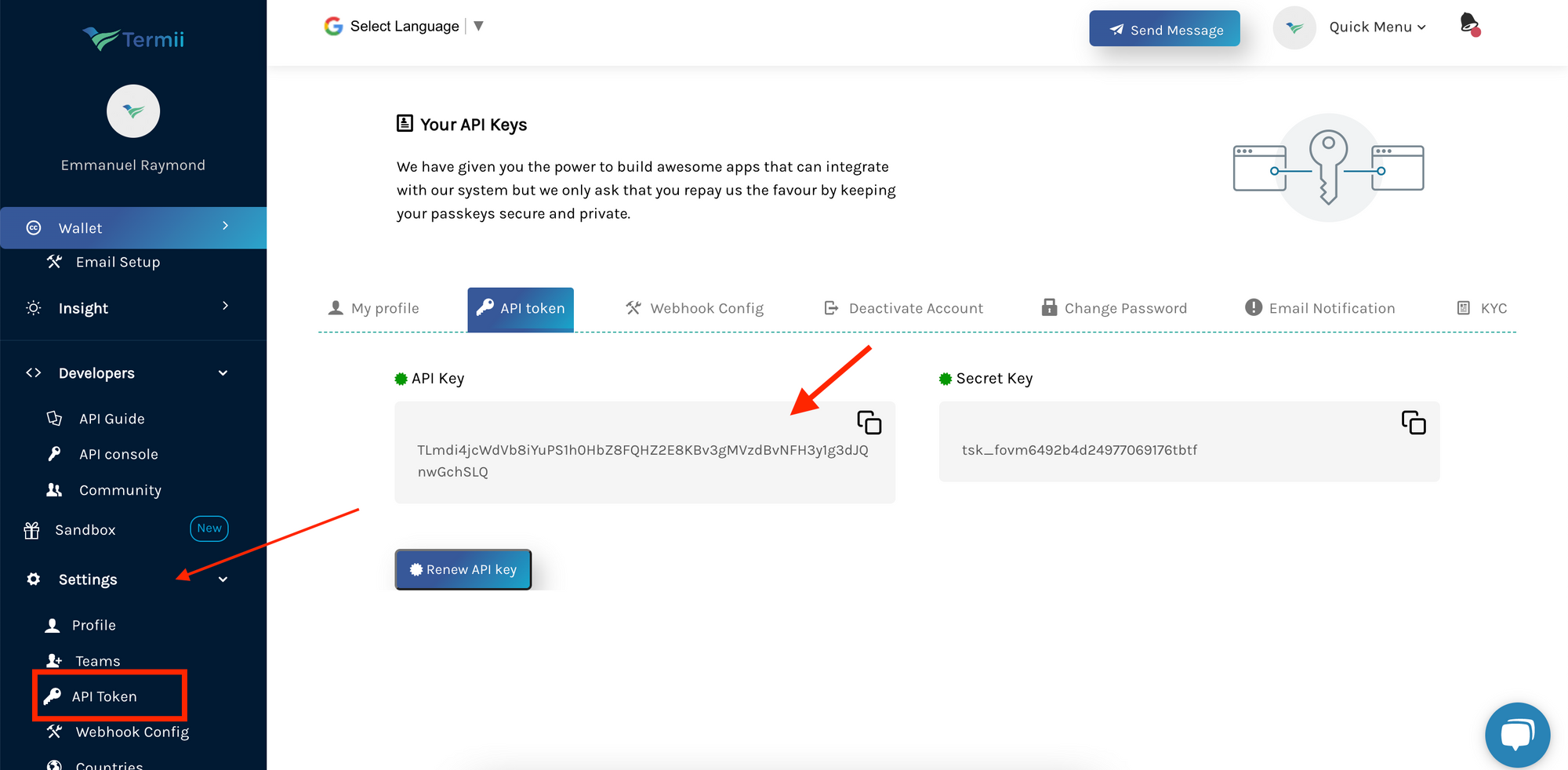
 Alternatively, you can find the API key on the Settings page.
* Scroll to the bottom of the sidebar (on the left) and click on settings.
* This will display a dropdown from which you can then click on `API Token` to view your API key.
Alternatively, you can find the API key on the Settings page.
* Scroll to the bottom of the sidebar (on the left) and click on settings.
* This will display a dropdown from which you can then click on `API Token` to view your API key.
 ## Getting your Sender's ID
Sender IDs allow you to brand your messages as you send them to your customers.
To get your Sender's ID:
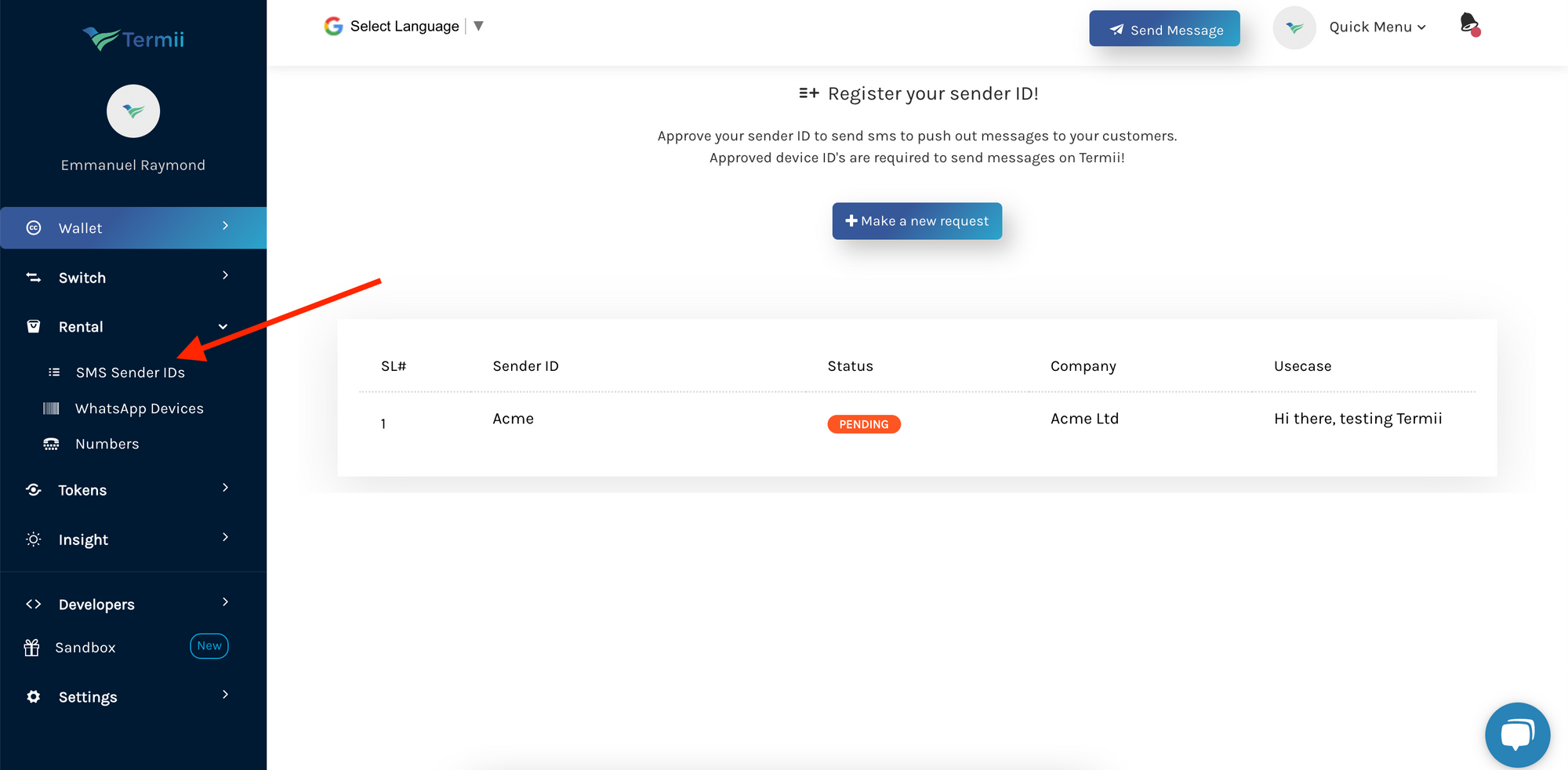
* On the sidebar (on the menu on your left), click on `Rental`. This will display a dropdown. Click on `SMS Sender IDs` from the dropdown options.
* On the page that appears, you'll find a list of your Sender IDs
## Getting your Sender's ID
Sender IDs allow you to brand your messages as you send them to your customers.
To get your Sender's ID:
* On the sidebar (on the menu on your left), click on `Rental`. This will display a dropdown. Click on `SMS Sender IDs` from the dropdown options.
* On the page that appears, you'll find a list of your Sender IDs
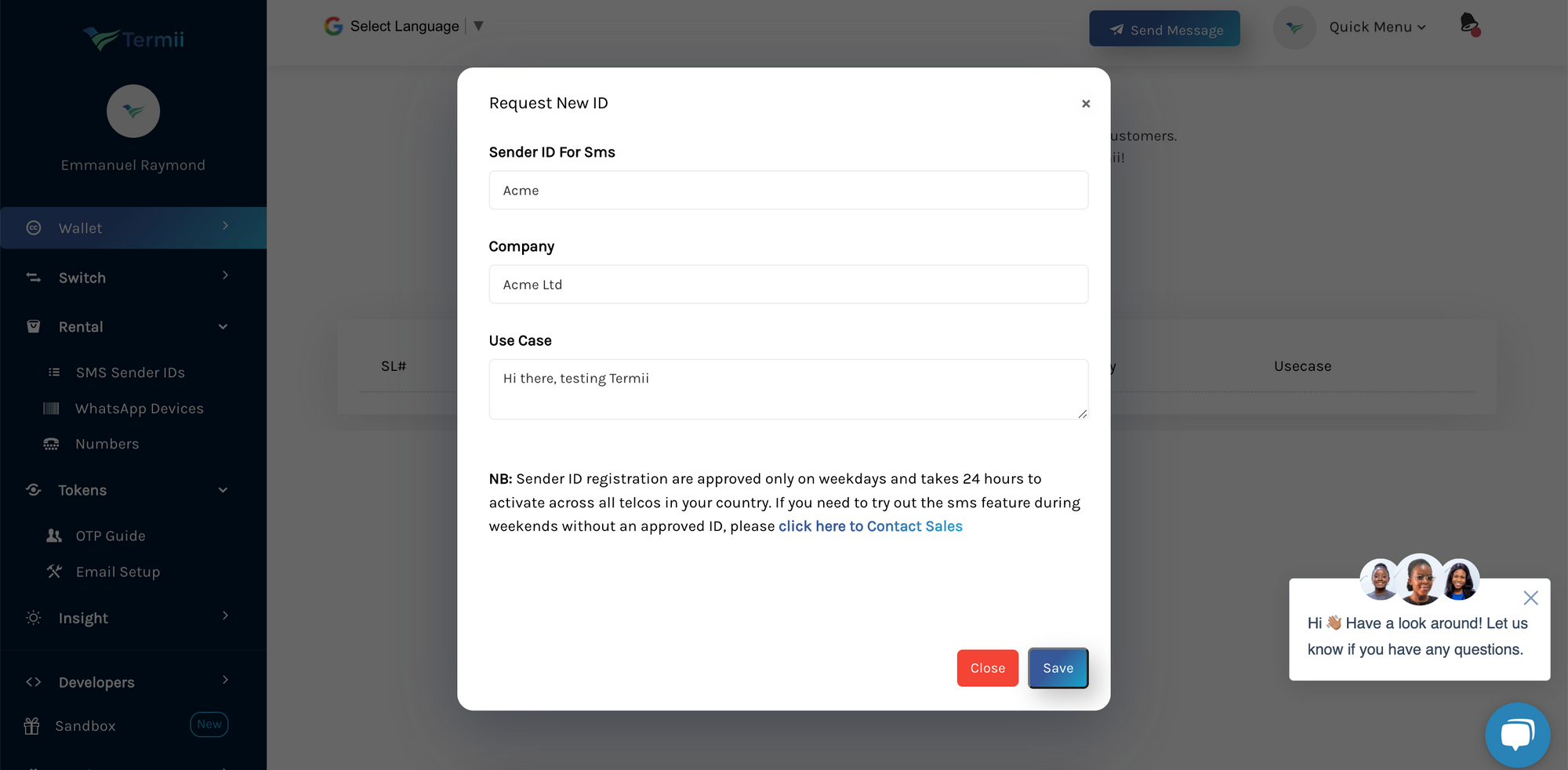
 If you have not created one yet:
* Click on the `Make a new request` button to request a Sender ID.
* Fill in the form
* Click on `Save`
If you have not created one yet:
* Click on the `Make a new request` button to request a Sender ID.
* Fill in the form
* Click on `Save`
 ## Creating a Termii integration with Novu
* Visit the [Integrations](https://web.novu.co/integrations) page on Novu.
* Click the "Add a provider" button.
* Locate **Termii** under the SMS section and click on the **Connect** button.
* Enter your Termii API Key.
* Fill in the `From` field.
* Click on the Disabled button and mark it as Active.
* Click on the **Connect** button.
Now it is possible to send SMS notifications using **Termii** in Novu.
## Creating a Termii integration with Novu
* Visit the [Integrations](https://web.novu.co/integrations) page on Novu.
* Click the "Add a provider" button.
* Locate **Termii** under the SMS section and click on the **Connect** button.
* Enter your Termii API Key.
* Fill in the `From` field.
* Click on the Disabled button and mark it as Active.
* Click on the **Connect** button.
Now it is possible to send SMS notifications using **Termii** in Novu.