

Trigger Request
A trigger request is the initial step in handling a trigger event. It contains crucial details such as the template identifier, a list of subscribers who will receive the notification, the payload of the notification, and any overrides that need to be applied.Trigger Endpoint
Upon sending the request to the/event/trigger endpoint, a series of essential steps are initiated:
- Subscriber Mapping and Validation: The first step involves mapping and validating the subscribers for the specified event. This ensures that notifications are sent to the correct recipients.
- Template Validation: Following subscriber validation, the template associated with the event is validated. This validation process considers factors such as the active status or draft template flag to determine if it meets the necessary criteria for processing.
- Attachment Upload: Once the validation process is successfully completed, any attachments associated with the event are uploaded to the designated storage service.
- Event Queuing: The trigger event, now enriched with mapped subscribers and attachment links, is appended to the trigger event queue. This queuing mechanism optimizes response times, ensuring efficient event processing.
Trigger Event Processing
When an event is picked up by the trigger queue worker, the processing phase begins. Here’s what happens:- Notification Entity Creation: For each subscriber listed in the trigger event, a corresponding notification entity is created. This entity contains essential data related to the organization, template, subscriber, and event payload.
- Job Creation: Based on the notification template’s defined steps, jobs are generated. These jobs are responsible for carrying out specific tasks related to the event notification. Additionally, the notification entity is updated with a “channels” field generated from these steps, indicating the communication channels through which notifications will be sent.
Jobs
Jobs play a pivotal role in the trigger event lifecycle. They are created based on the steps outlined in the notification template. Depending on the presence of a digest step, the following logic is applied:- Digest Step: If the template includes a digest step, filtering logic is applied to produce an appropriate array of jobs. This logic differentiates between two types of digesting: regular and backoff, each serving distinct purposes in event processing.
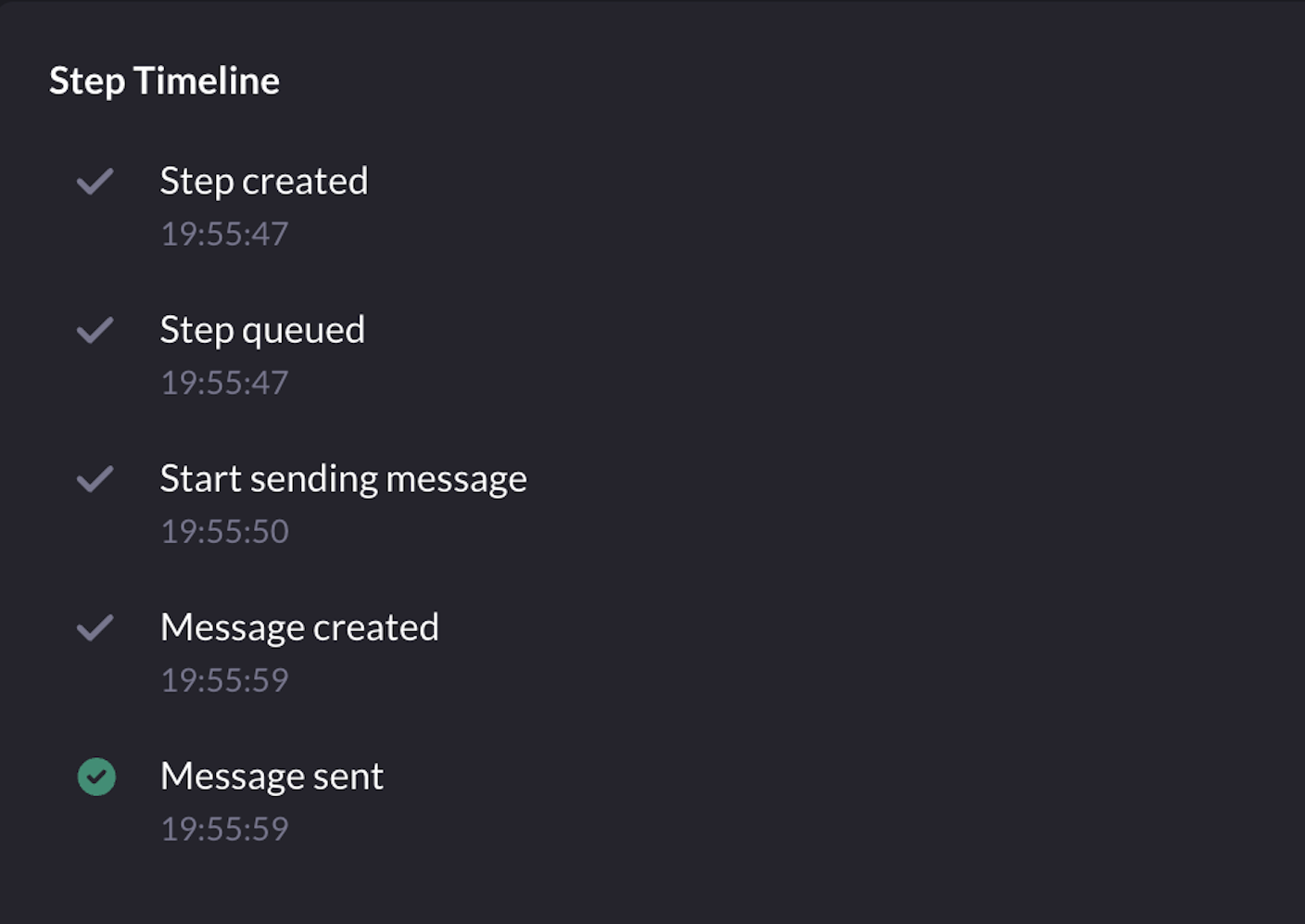
Job Statuses
Example:
1
Step created
PENDING2
Step queued
QUEUED3
Start sending message
RUNNING4
Message created
RUNNING5
Message sent
COMPLETED