

Email Layouts
Novu allows the creation of layouts - a specific HTML design or structure to wrap content of email notifications. Layouts can be manipulated and assigned to new or existing workflows within the Novu platform, allowing users to create, manage, and assign these layouts to workflows, so they can be reused to structure the appearance of notifications sent through the platform. By default, Novu will create a default layout and assign it as the organization’s default layout. At any time, you can choose any of your layouts as the default for your organization. All new email templates will be assigned the default layout unless assigned a different one through the email editor.Manage Layouts
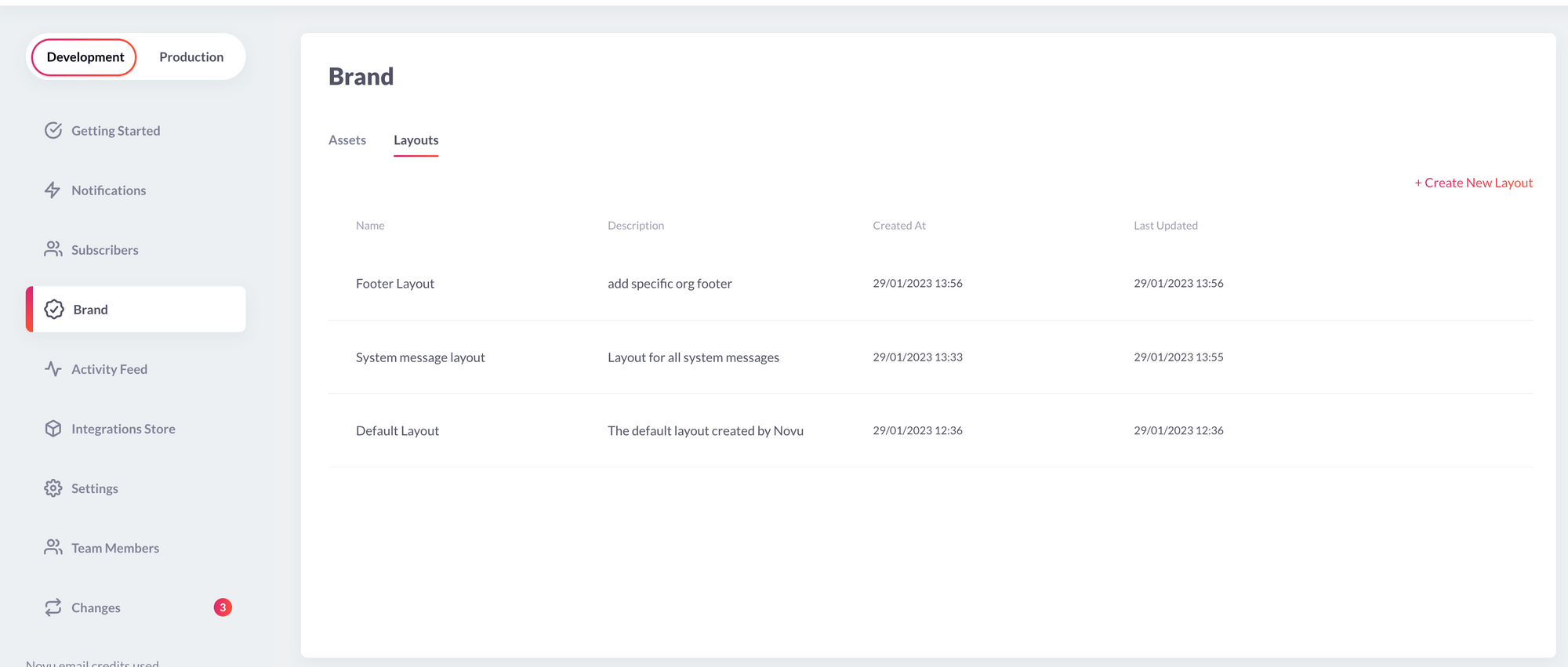
You can find and manage your organization’s layouts inBrand -> Layouts
Create and Edit Layouts
You can create new or edit existing layouts through the layout editor.- You can create any html code to structure your layout.
- Set a layout as default for your organization. Notice there could only be one default layout at a time.
- Manage layout variables - set default values or required variables.
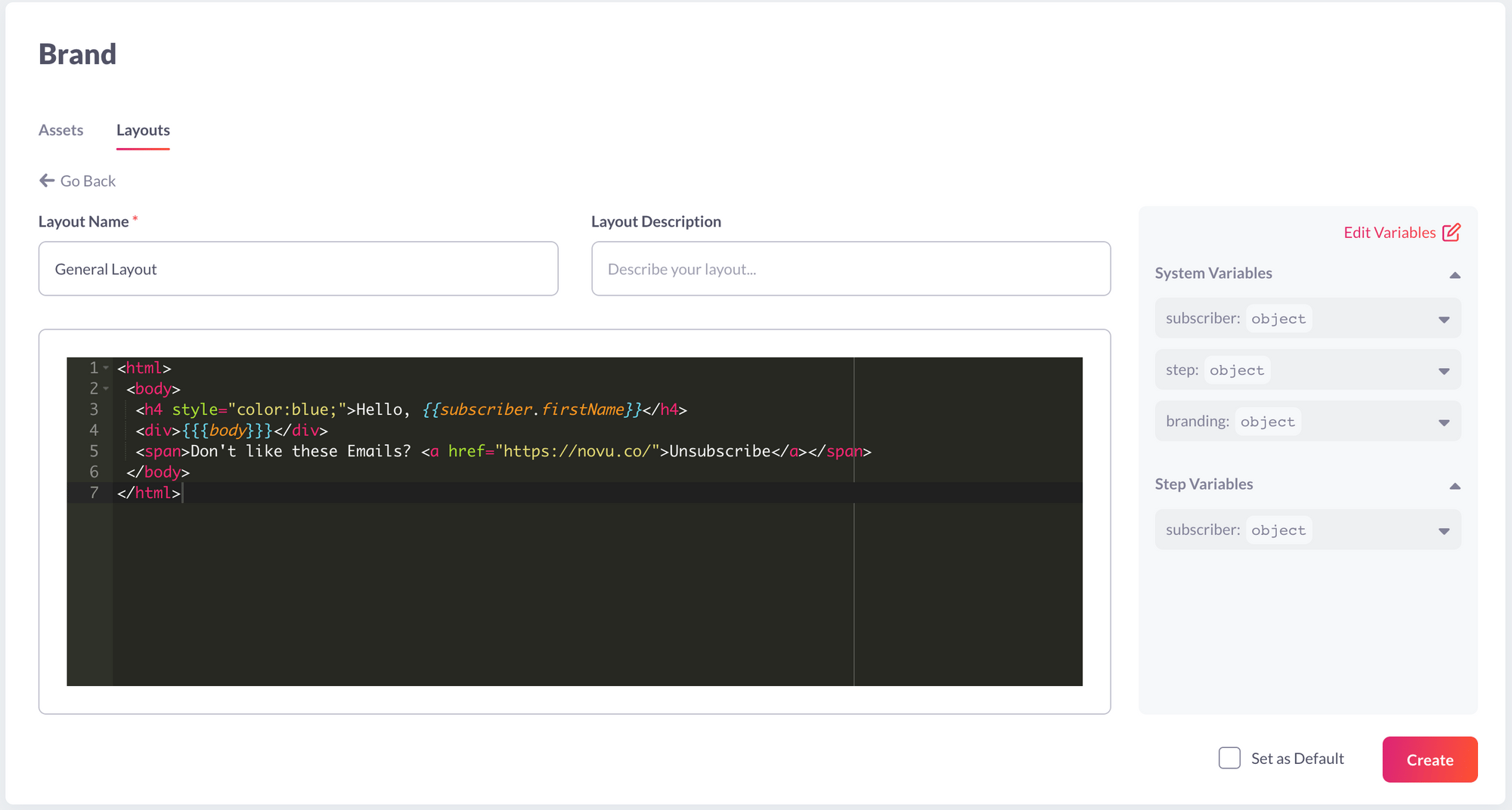
Layout content must include
{{{body}}}, to indicate where the email editor content will be injected inside the layout. Assign layout to workflow
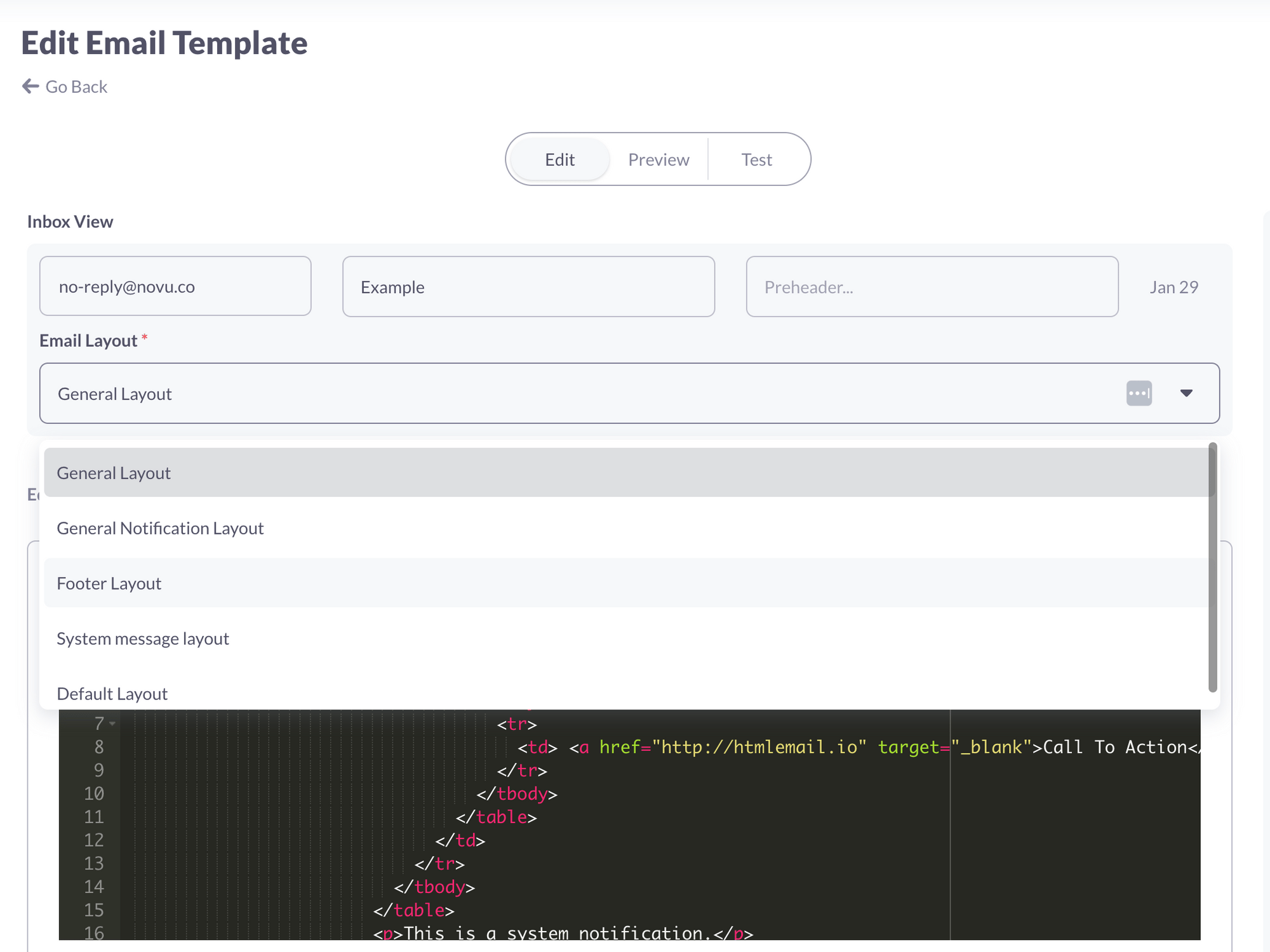
To assign, choose a layout through the email editor. You can preview your layout combined with your email content through thePreview tab.
Override layout on trigger
To override your assigned layout during a trigger event, use thelayoutIdentifier property.
The layout specified will be used for all emails in the context of that trigger event.
The override layout on trigger functionality is only available on v0.19.0.
Using SDK
Novu SDK supports all layout functionalities:Create a new layout
A new layout can be created with name, description, content, variables and anisDefault flag. Here, content param is html content with custom variables.